
Creating a productive home workspace is essential for anyone working remotely or spending time on personal projects. A well-organized environment can help you focus better, reduce stress, and increase your overall efficiency. Whether you have a dedicated room or a small corner, these top tips will help you design a space tailored to your needs.
1. Choose the Right Location
The first step in organizing your workspace is selecting the ideal spot.
– Natural Light: Try to set up your desk near a window. Natural light improves mood and reduces eye strain.
– Quiet Area: Pick a place with minimal distractions, away from busy household zones.
– Comfortable Space: Ensure there’s enough room for your equipment and movement.
2. Invest in Ergonomic Furniture
Comfort matters when you spend hours working.
– Desk: Choose a desk with enough surface area for your computer, documents, and accessories.
– Chair: A supportive chair with adjustable height and lumbar support helps maintain good posture.
– Accessories: Consider ergonomic keyboards and mouse to reduce strain.
3. Declutter and Organize
Clutter can distract and take up valuable space.
– Clear Desk: Keep only essential items on your desk.
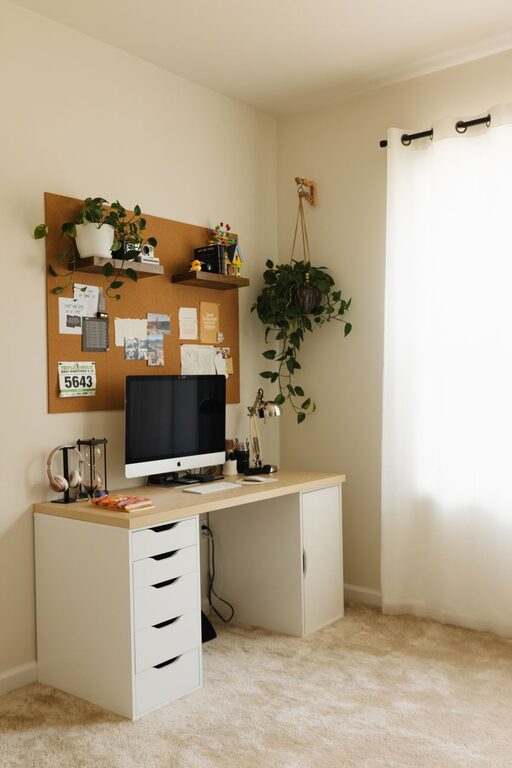
– Storage Solutions: Use shelves, drawers, or filing cabinets to store paperwork and supplies.
– Cable Management: Use clips, sleeves, or ties to keep cords neat and prevent tangling.
4. Personalize Your Space
Adding personal touches makes the space inviting and motivating.
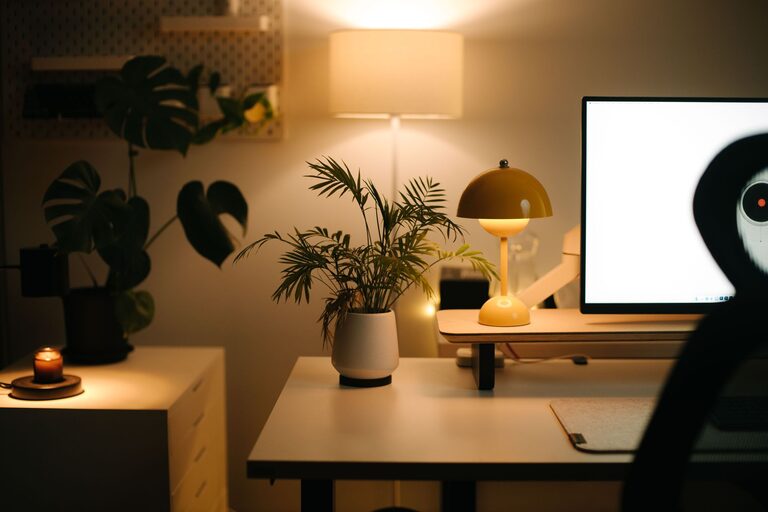
– Plants: A small plant can brighten your area and improve air quality.
– Artwork: Hang inspiring or calming pictures near your workspace.
– Colors: Use colors that encourage focus, like soft blues or greens.
5. Optimize Lighting
Proper lighting prevents headaches and fatigue.
– Task Lighting: Use a desk lamp with adjustable brightness for focused work.
– Avoid Glare: Position screens to avoid reflections from windows or lights.
– Even Lighting: Combine natural and artificial light sources for balanced illumination.
6. Plan for Breaks
A well-organized workspace encourages regular breaks.
– Timer or Apps: Use timers to remind yourself to stand and move every hour.
– Comfort Zone: Create a nearby spot for short breaks, such as a comfy chair or a small lounge area.
7. Keep Technology Updated
Efficient tools help streamline work.
– Reliable Internet: Ensure you have a strong and stable connection.
– Up-to-Date Devices: Regularly update your computer and software to avoid slowdowns.
– Backup Systems: Use cloud storage or external drives to protect important files.
8. Establish a Routine and Boundaries
Creating habits improves productivity at home.
– Set Work Hours: Define start and end times to separate work from personal life.
– Communicate: Let family or roommates know your schedule to minimize interruptions.
– Daily Checklist: Maintain a to-do list to stay organized and prioritize tasks.
Conclusion
Organizing a productive home workspace goes beyond just tidying up. It involves thoughtful planning and design to support your work habits and well-being. By applying these tips, you can create an environment that helps you stay focused, comfortable, and motivated every day. Remember, the key is to tailor your space to what works best for you. Happy organizing!
About the Author