
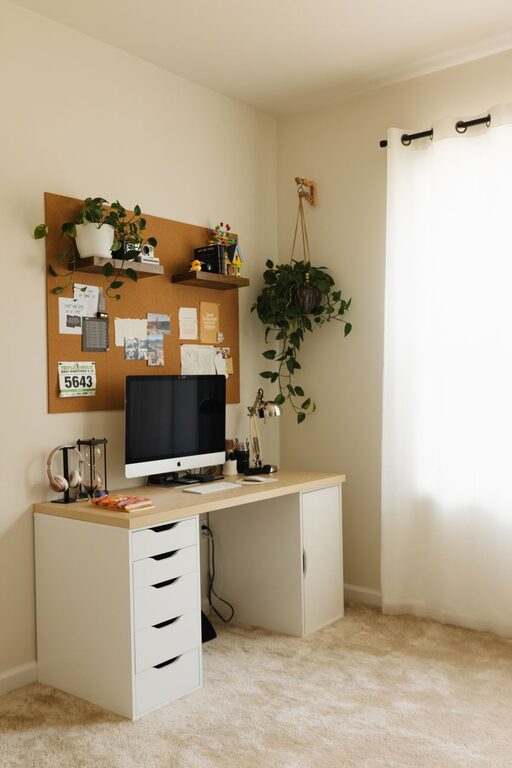
Creating a cozy and functional home workspace has become increasingly important as more people work remotely or manage tasks from home. A well-designed area can boost productivity, reduce stress, and make working from home enjoyable. Whether you have a dedicated room or just a small corner, these tips will help you design a space that is both comfortable and efficient.
Choose the Right Location
Where you set up your workspace plays a big role in your comfort and focus.
– Natural light: Pick a spot near a window if possible. Natural light can improve mood and reduce eye strain.
– Quiet environment: Aim for a quiet, low-traffic area to minimize distractions.
– Space availability: Ensure there is enough room for your desk, chair, and any tools or equipment you need.
Invest in Comfortable Furniture
Comfort is key to avoid fatigue during long work hours.
– Ergonomic chair: Choose a chair that supports your lower back and promotes good posture.
– Appropriate desk: Your desk should be the right height to avoid strain on your wrists and shoulders.
– Adjustability: If possible, consider a sit-stand desk to alternate between sitting and standing.
Organize Your Workspace
Keeping your desk tidy can improve efficiency and reduce stress.
– Declutter regularly: Remove unnecessary items to keep the area neat.
– Use storage solutions: Bins, shelves, and drawers help organize supplies and paperwork.
– Cable management: Use clips or sleeves to keep cords tidy and out of the way.
Personalize Your Space
Adding personal touches makes the workspace inviting and motivates you to spend time there.
– Decorate with plants: Small plants can improve air quality and create a calming atmosphere.
– Add artwork or photos: Visual elements that inspire you make the space feel your own.
– Use color wisely: Choose soothing colors or accents that boost focus without causing distraction.
Optimize Lighting
Proper lighting is essential to reduce eye strain and maintain energy levels.
– Layer lighting: Combine natural light, overhead lighting, and task lamps.
– Adjust brightness: Use adjustable lamps to control light intensity based on your needs.
– Avoid glare: Position screens to minimize glare from windows or lights.
Manage Technology Effectively
Technology powers your workspace but can also be a source of frustration if not managed well.
– Reliable internet connection: Ensure your connection is fast and stable.
– Organize devices: Use stands or holders for phones, tablets, and monitors.
– Regular maintenance: Keep software updated and clean your devices to improve performance.
Establish a Routine
A dedicated workspace helps separate work from home life, but routines reinforce this boundary.
– Set work hours: Define clear start and end times for your workday.
– Take breaks: Step away from your desk regularly to stretch and refresh.
– Create rituals: Small routines, like a morning coffee or a clean desk at day’s end, can boost productivity.
Incorporate Comfort and Wellness
Your workspace should support your overall health and comfort.
– Add cushions or footrests: These can enhance comfort during long sitting periods.
– Ventilation: Ensure good airflow to keep the area fresh.
– Sound management: Use noise-canceling headphones or white noise machines if necessary.
Final Thoughts
Designing a cozy and functional home workspace is about finding the right balance between comfort and productivity. By carefully selecting your location, investing in ergonomic furniture, staying organized, and personalizing your space, you can create an environment that supports your work and well-being. Remember, a workspace that feels good to be in will naturally encourage focus and creativity. Take the time to tailor your space to your needs, and enjoy the benefits of working from home with a setup that truly works for you.
About the Author